IntelliJ IDEA - Command line is too long 启动报错解决方法
在 IntelliJ IDEA 中运行 Java 程序或测试方法时,可能会遇到报错:Command line is too long. Shorten the command line via JAR manifest or via a classpath file and rerun.
Error running 'TestMain.testEncodePassword'.
Command line is too long.
Shorten the command line via JAR manifest or via a classpath file and rerun.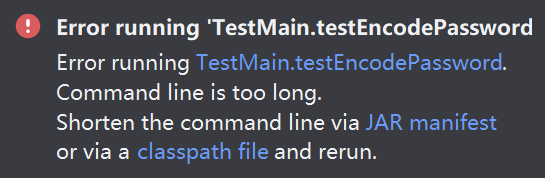
问题原因
IntelliJ IDEA 启动 Java 程序时,会将项目依赖拼接到启动命令的 classpath 参数中。项目依赖较多、依赖路径较长,生成的启动命令可能超过操作系统允许的命令行长度,从而导致程序无法启动。
解决方法
1.打开运行配置
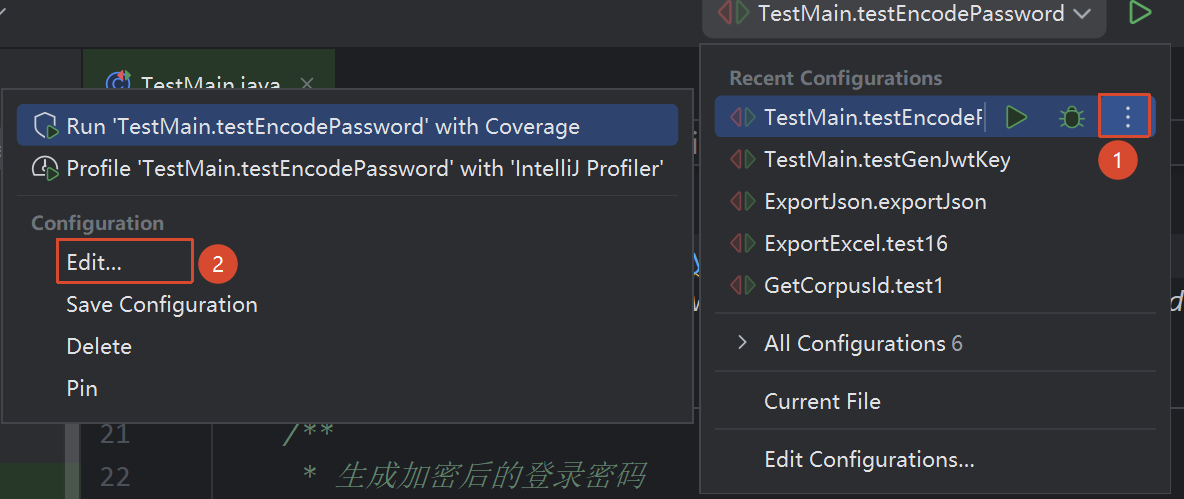
点击 IDEA 右上角当前运行配置旁的菜单按钮,在弹出的菜单中点击 Edit…,进入运行配置页面。
2.开启 Shorten command line
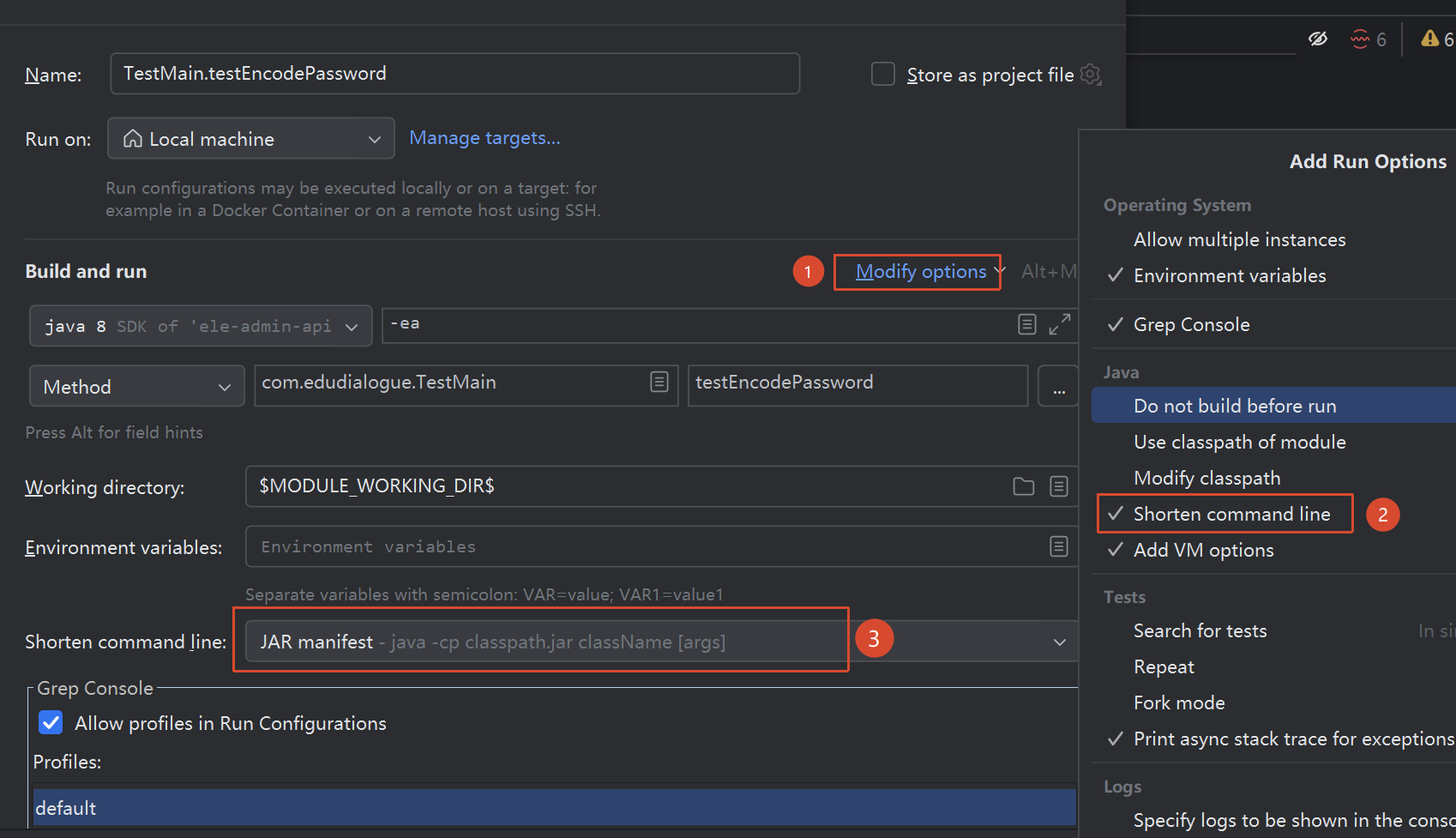
在 Edit Configurations 页面找到当前报错的运行配置,点击 Modify options,勾选 Shorten command line。
勾选后,页面下方会新增 Shorten command line 配置项。在下拉菜单中选择 JAR manifest 或 classpath file,将过长的 classpath 从启动命令中移出。
3.保存并重新运行
设置完成后,依次点击 Apply、OK 保存配置,然后重新运行程序即可。